

As per our business solutions or client requirements, we need to create custom product attributes. There are 2 ways to create custom product attributes:
1. From Admin
Admin > Stores > Attributes: Product > Add New Attribute
2. Programmatically
We can create custom product attributes using the InstallData setup script as well as using Data Patch. After the release of Magento version 2.3, a data patch is a standard approach to managing database modifications. Using data patch we don’t need to manage setup_version in etc/module.xml. So in this blog, we cover the concept of creating custom product attributes using Data Patch with full code. In the following example, we are creating two types of product attributes: Text and Yes/No.
Related Blog: How to create custom module in Magento 2
File Path: app/code/Mage2/Demo/Setup/Patch/Data/AddTextProductAttribute.php
<?php

declare(strict_types=1);

namespace Mage2\Demo\Setup\Patch\Data;

use Magento\Eav\Model\Entity\Attribute\ScopedAttributeInterface;
use Magento\Eav\Setup\EavSetup;
use Magento\Eav\Setup\EavSetupFactory;
use Magento\Framework\Setup\ModuleDataSetupInterface;
use Magento\Framework\Setup\Patch\DataPatchInterface;
use Magento\Catalog\Model\Product;
use Magento\Catalog\Model\Product\Type;
use Psr\Log\LoggerInterface;

class AddTextProductAttribute implements DataPatchInterface
{
    /**
     * @var ModuleDataSetupInterface
     */
    private ModuleDataSetupInterface $moduleDataSetup;

    /**
     * @var EavSetupFactory
     */
    private EavSetupFactory $eavSetupFactory;

    /**
     * @var LoggerInterface
     */
    private LoggerInterface $logger;

    /**
     * @param ModuleDataSetupInterface $moduleDataSetup
     * @param EavSetupFactory $eavSetupFactory
     * @param LoggerInterface $logger
     */
    public function __construct(
        ModuleDataSetupInterface $moduleDataSetup,
        EavSetupFactory $eavSetupFactory,
        LoggerInterface $logger
    ) {
        $this->moduleDataSetup = $moduleDataSetup;
        $this->eavSetupFactory = $eavSetupFactory;
        $this->logger = $logger;
    }

    /**
     * @return void
     */
    public function apply()
    {
        try {
            $productTypes = implode(',', [Type::TYPE_SIMPLE, Type::TYPE_VIRTUAL]);

            /** @var EavSetup $eavSetup */
            $eavSetup = $this->eavSetupFactory->create(['setup' => $this->moduleDataSetup]);

            $eavSetup->addAttribute(Product::ENTITY, 'sample_yes_no', [
                'type' => 'int',
                'backend' => '',
                'frontend' => '',
                'label' => 'Sample Yes/No',
                'input' => 'boolean',
                'class' => '',
                'source' => 'Magento\Eav\Model\Entity\Attribute\Source\Boolean',
                'global' => ScopedAttributeInterface::SCOPE_GLOBAL,
                'visible' => true,
                'required' => false,
                'user_defined' => false,
                'default' => '',
                'searchable' => false,
                'filterable' => false,
                'comparable' => false,
                'visible_on_front' => false,
                'used_in_product_listing' => true,
                'unique' => false,
                'apply_to' => $productTypes
            ]);

            $eavSetup->addAttribute(Product::ENTITY, 'sample_text_attribute', [
                'type' => 'text',
                'backend' => '',
                'frontend' => '',
                'label' => 'Sample Text Attribute',
                'input' => 'text',
                'class' => '',
                'source' => '',
                'global' => ScopedAttributeInterface::SCOPE_GLOBAL,
                'visible' => true,
                'required' => true,
                'user_defined' => false,
                'default' => '',
                'searchable' => false,
                'filterable' => false,
                'comparable' => false,
                'visible_on_front' => false,
                'used_in_product_listing' => true,
                'unique' => false,
                'apply_to' => $productTypes
            ]);

        } catch (\Exception $e) {
            $this->logger->critical($e);
        }
    }

    /**
     * @return array
     */
    public static function getDependencies(): array
    {
        return [];
    }

    /**
     * @return array
     */
    public function getAliases(): array
    {
        return [];
    }
}
In the above example, we have added the $productTypes array variable only for simple and virtual type products, you can add more than that product type. This is a simple example, you can modify the values of any of the parameters of the addAttribute() function as per your need.
Run the following command after creating a data patch:
bin/magento setup:upgrade
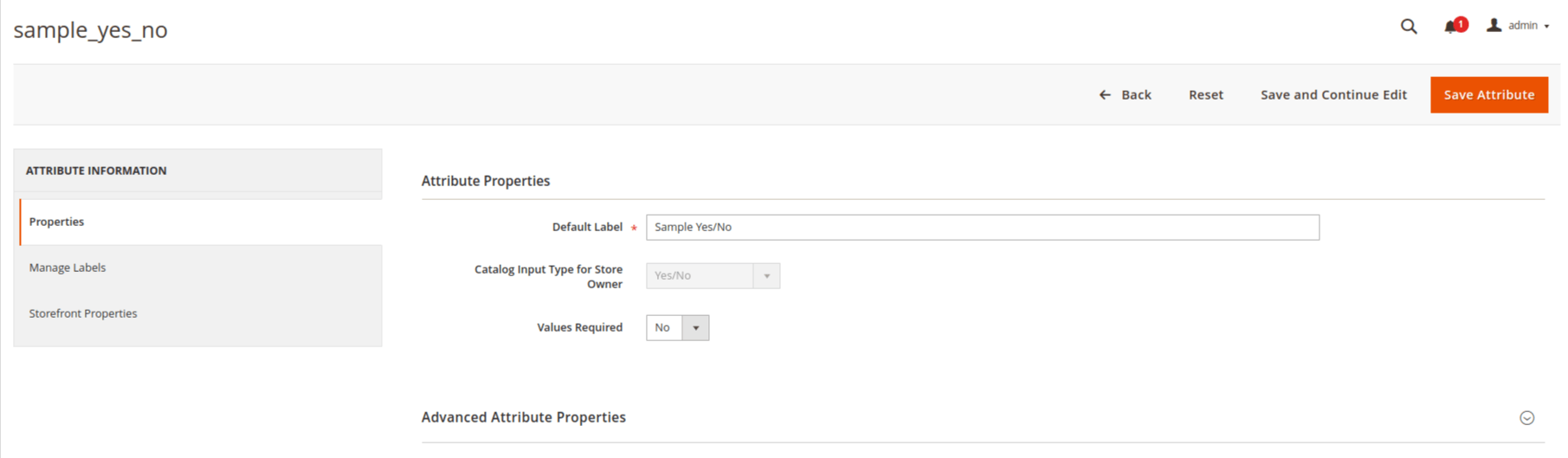
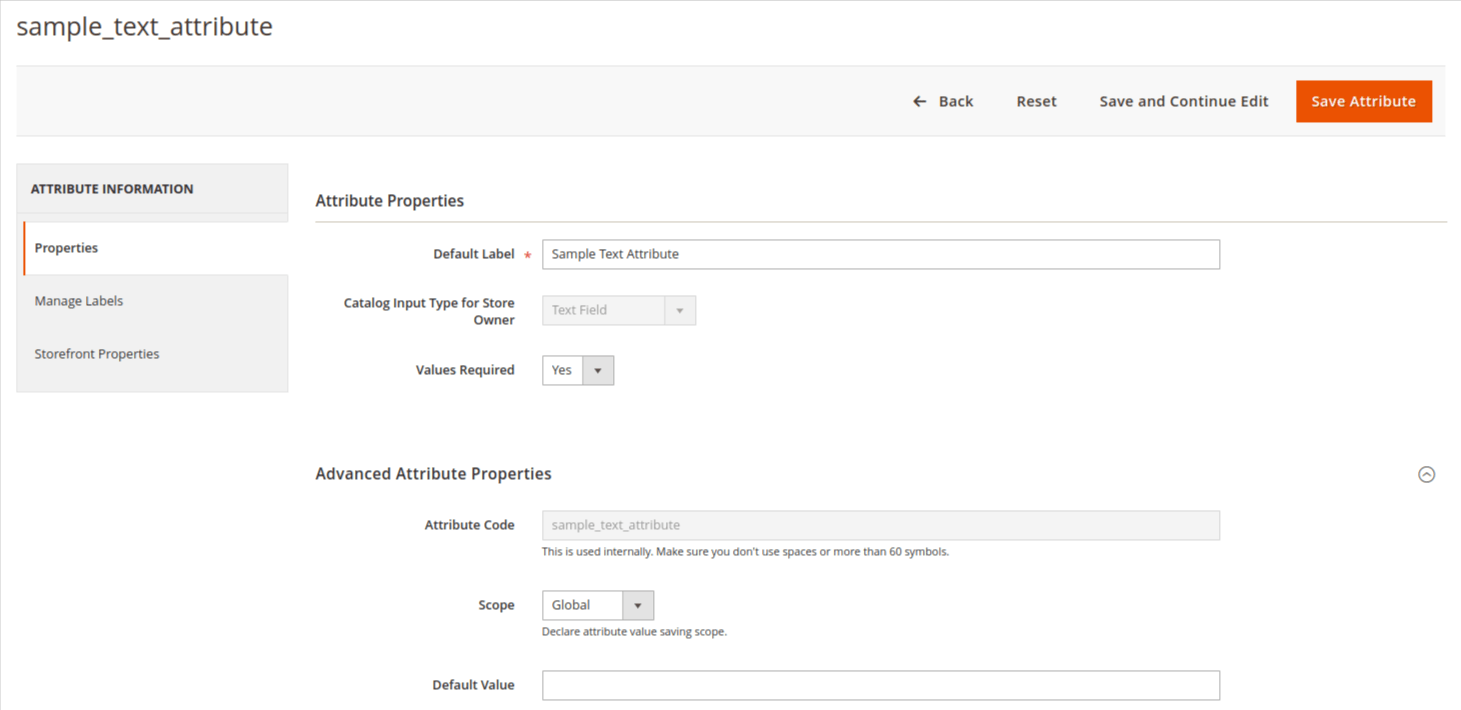
Output:

We hope this blog may understandable and useful to you. You can email us at mage2developer@gmail.com if we missed anything or want to add any suggestions. We will respond to you as soon as possible. Happy to help 🙂
